
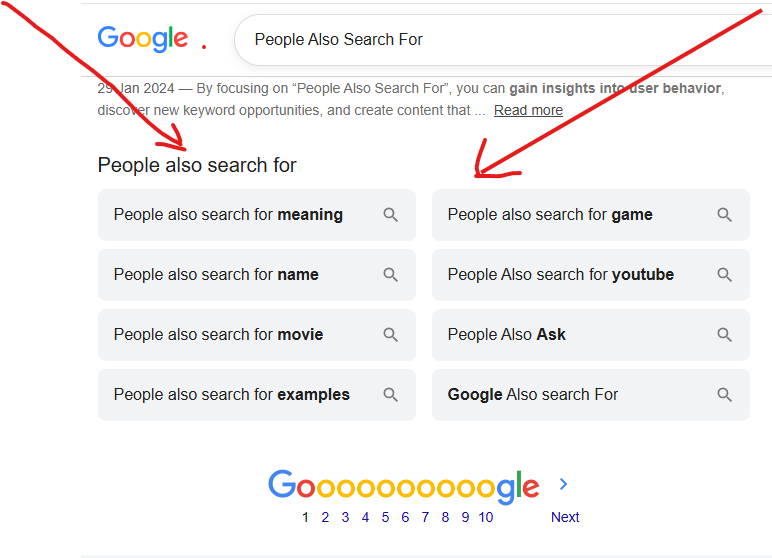
If you have been using and searching things on Google, you must have noticed a small box of extra search ideas at the end of the page. That box is what we called “People Also Search For” (PASF). Most people scroll past it. But SEO experts like me dont. I study it because it quietly tells me what real people want to know next.
Just like Search or Type Web Address, It helps me find better keywords, create helpful content, and improve your website’s rankings on Google.
If you have been wondering what this “People Also Search For” means, why it matters, and how SEO experts use it to get higher rankings and more traffic. Dont worry, because i am going to explain everything you need to know about People Also Search For, how it works, why Google shows it and how best to use it.
You also check this: What Search or Type Web Address Mean and How to Use It Correctly
What Is People Also Search For?
People Also Search For (PASF) is a Google search feature that shows related search queries after you visit a website and return to the search results.
Google displays these extra searches because it believes they are closely connected to your original search.
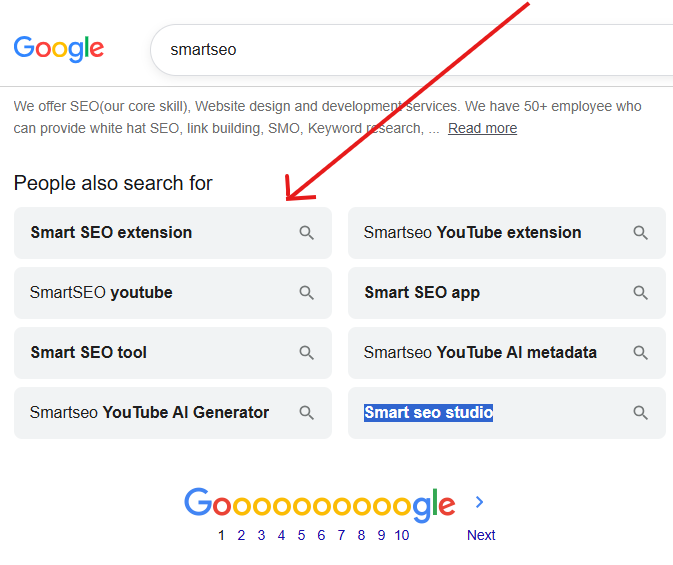
For example, if you search for “smartseo” Google show me the following at the end of the search page:
- Smart SEO extension
- Smart SEO app
- SmartSEO youtube
- Smart SEO tool
- Smartseo YouTube AI Generator
- Smartseo YouTube AI metadata
- Smart seo studio
These suggestions help users continue their search without typing a new query. Check the screenshort bellow:
Why Does Google Show People Also Search For?
Google’s main goal is to help users find the best answer. Sometimes the first result is not exactly what someone needs.
Instead of making people start over, Google recommends related searches that may answer their question better. This improves the user experience and helps people discover useful information.
Is People Also Search For the Same as People Also Ask?
No. Many people confuse these two Google features.
People Also Search For
- Shows related search queries.
- Helps users discover new searches.
- Focuses on search intent.
People Also Ask
- Shows questions with expandable answers.
- Helps users learn more about a topic.
- Focuses on answering common questions.
Both features are useful for SEO, but they serve different purposes.
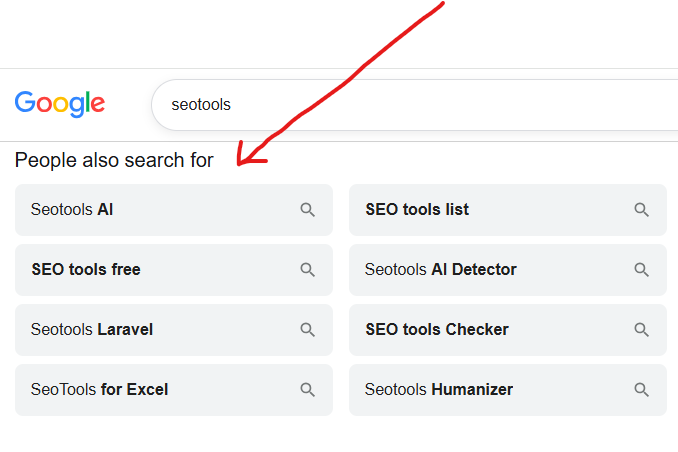
For example when i search “Seotools” get the following search result in People Also Search For as shown in the image below:
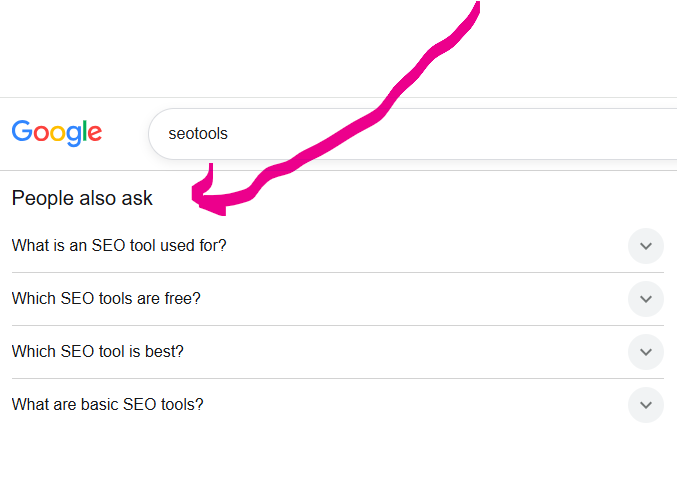
The second image bellow show “People Also Ask” for the same keywords. Check the image bellow:
People Also Search For vs People Also Ask
Many beginners confuse these two Google features. If you look at the table bellow you will see that the different is clear:
| People Also Search For | People Also Ask |
|---|---|
| Related searches | Related questions |
| Helps discover keywords | Helps answer questions |
| Shows search behavior | Shows user questions |
| Great for keyword research | Great for FAQs |
Using both together creates stronger SEO content.
How SEO Experts Use People Also Search For to Rank Higher Step-by-Step Process
If your wondering how you can use People Also Search For to rank higher on Google follow this workflow:
Stage 1: Collection
You start by searching your target topic, clicking into a top result, and immediately checking the People Also Search For box. Instead of stopping at one search, you should repeat this 3–5 times:
- Search the main topic.
- Note every PASF term.
- Click one of those terms.
- Check the new People Also Search For box that appears.
- Repeat the process until the same terms start showing up again (this means you have reached the edge of the topic).
This creates a full map of everything people search around one subject, not just the obvious keyword, but every branch coming off it.
Stage 2: Sorting
Not every term deserves its own page. As an experts you need to sort collected terms into three buckets:
- Add to an existing page. the term is a small detail that fits into content you already have.
- New section on an existing page, the term is big enough to need its own heading, but not a whole new article.
- Brand new article, the term represents a full, separate search intent.
This sorting step is what separates a messy content plan from a clean, effective one.
Stage 3: Matching Search Intent
Before writing anything, you need to check why someone searches that term. A term like “coffee without a machine” is about a method. A term like “coffee taste better” is about improving a result. These need different kinds of content, even though both come from the same original search. Skipping this step is the most common reason PASF-based content still fails to rank.
Stage 4: Writing to Satisfy, Not Just to Rank
The actual goal is not to stuff the PASF term onto the page. The goal is to answer it so completely that a reader has no reason to go back to Google and search again. To do this, write short, direct answers near the top of each section, then add more detail below for readers who want it.
Stage 5: Structuring for Both Humans and AI Tools
Once the content is written, you need to format it so it’s easy to scan and easy to quote:
- Clear headings that match the PASF phrase closely.
- A short, direct answer in the first sentence or two of each section.
- A dedicated question-and-answer section near the end.
This structure helps regular readers, but it also helps AI-based search tools and answer engines pull accurate, quotable information from the page.
Stage 6: Internal Linking Between Related Pages
As new pages get created from People Also Search For research, you need to link them back to the original “pillar” page and to each other. This turns a single article into a connected group of pages, which search engines tend to see as a sign of real topic expertise.
Stage 7: Monitoring and Refreshing
PASF suggestions change over time as trends shift. You need to recheck the PASF box for their main topics every few months and update content when new terms appear that weren’t covered before.
A Simple Way to Try This Yourself (Dont Use Paid Tools)
- Open Google and search your topic.
- Click a top result.
- Hit the back button.
- Screenshot or write down the PASF box.
- Click one term from that box and repeat steps 2–4.
- Do this 3–4 times to build a solid list.
- Group the terms using the sorting method abov
Mistakes That Waste People Also Search For Data
- Forcing every term into one page. This creates cluttered, unfocused content that satisfies no one fully.
- Ignoring intent differences. Two similar-looking terms can need completely different content.
- Treating it as a ranking guarantee. PASF gives you direction, not a promise. Always sanity-check with actual search volume before investing heavily.
- Never revisiting old research. A PASF list from a year ago may already be outdated.
How AI Search Engines Use PASF
Modern AI search engines analyze topics rather than individual keywords.
They look for:
- Context
- Related concepts
- Complete explanations
- Helpful answers
- Trusted information
An article covering many related searches naturally is more likely to be referenced in AI-generated answers.
Instead of repeating the same keyword dozens of times, explain the topic clearly and answer related questions.
FAQs About People Also Search For
What triggers the “People Also Search For” box to appear? It usually appears when someone clicks a search result and returns to Google quickly, signaling that the result didn’t fully answer their question.
Can a website choose to appear in someone else’s “People Also Search For” box? No. There’s no way to buy, request, or manually control placement. It’s generated automatically from real user search behavior.
Is “People Also Search For” the same as “related keywords” in SEO tools? Not exactly. SEO tools estimate related keywords using data patterns, while PASF comes directly from Google showing real follow-up searches after an unsatisfied click.
Why do some searches show a “People Also Search For” box and others don’t? It tends to appear for informational and exploratory topics, where people often need more than one source to fully understand something.
Does using “People Also Search For” terms guarantee higher rankings? No single feature guarantees rankings. It’s a strong signal for what to write about, but the actual ranking still depends on content quality, site authority, and overall relevance.
How often should I check “People Also Search For” for my content? Every few months is a reasonable habit, since suggestions shift as search trends and user behavior change over time.
Need Help Ranking Higher on Google?
Learning how to use People Also Search For is a great first step, but turning keyword ideas into pages that actually rank takes experience, planning, and the right SEO strategy.
If you want to grow your website, attract more organic traffic, and build content that performs well in Google and AI-powered search engines, consider working with SEO professionals.
Reach out to SmartSEO for expert SEO services, including:
- Keyword research and content strategy
- On-page SEO optimization
- Technical SEO audits
- AI search optimization
- Topical authority and content clusters
- Link-building strategies
- SEO consulting for businesses and bloggers
Whether you are launching a new website or trying to improve an existing one, SmartSEO can help you build a long-term SEO strategy that delivers sustainable results and higher search rankings.
My Final Thoughts
People Also Search For is more than a list of related keywords. It provides a direct view into what people genuinely want to learn next. As an SEO expert we use it to uncover search intent, identify supporting topics, strengthen topical authority, and create content that answers complete user journeys rather than isolated questions.
The most successful strategy is not to chase every keyword individually. Instead, build comprehensive content that connects the main topic with closely related ideas, uses clear headings, answers common questions, and provides practical value. This approach improves the experience for readers, helps search engines understand your expertise, and positions your content to perform well in both traditional search results and AI-powered search experiences.
As search continues to evolve, websites that focus on helpful, complete, and easy-to-understand content will continue to have the best chance of earning visibility and trust.

Pingback: How to Use Search Google or Type a URL Like a Pro - SmartSEO